Hey there fellow developers! Sourabh here, and today I want to talk about something that’s super important in our line of work: peer reviews. Now, I know what you might be thinking, “Ugh, another boring process to go through.” But trust me, peer reviews can actually be pretty awesome if you know how to approach them. So, grab a cup of coffee and let’s dive in!
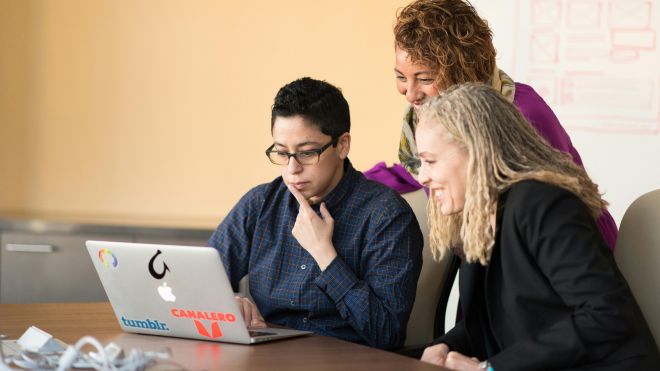
First things first, what exactly is a peer review? Well, it’s basically when you and your colleagues take a look at each other’s code to give feedback and suggestions for improvement. Think of it like having a buddy check your work before you turn it in for a grade. It’s all about making sure our code is the best it can be before it goes out into the wild.
Now, let’s talk about why peer reviews are so important. Sure, it might feel like extra work sometimes, but trust me, it’s totally worth it. For one, it helps catch those pesky bugs and errors that we might have missed on our own. Two heads (or more) are definitely better than one when it comes to finding and fixing issues. Plus, it’s a great way to learn from each other and improve our coding skills. We all have our own unique ways of doing things, and by sharing our knowledge and expertise, we can all become better developers.
So, how do you conduct a peer review effectively? Well, here are a few tips from yours truly:
- Be constructive: When giving feedback, always focus on the code and not the person. Remember, we’re all here to help each other improve, so keep your comments positive and helpful.
- Be specific: Instead of saying something vague like “This doesn’t look right,” try to pinpoint exactly what the issue is and offer suggestions for how to fix it. The more specific you can be, the easier it will be for your colleague to understand and address the problem.
- Be respectful: Everyone has their own coding style and preferences, and that’s okay! When reviewing someone else’s code, try to be respectful of their choices and avoid being overly critical. We’re all in this together, so let’s lift each other up instead of tearing each other down.
- Be open-minded: Remember, the goal of a peer review is to improve the code, not to prove that you’re right and someone else is wrong. Stay open to feedback and be willing to make changes based on your colleague’s suggestions. It’s all part of the learning process!
- Be grateful: Last but not least, don’t forget to thank your colleagues for taking the time to review your code. It’s not always easy to put yourself out there and ask for feedback, so let’s show our appreciation for each other’s hard work and dedication.
So there you have it, folks! Peer reviews might seem intimidating at first, but with the right mindset and approach, they can actually be a fun and rewarding experience. So next time you’re asked to review a colleague’s code, remember these tips and dive in with enthusiasm. Happy coding!